Showing posts with label TOS 2016. Show all posts

Thursday, June 2, 2016

Essentials Skills Advantage ~ Review


For the past few weeks my younger kids have been brushing up on their math, phonics and spelling skills using the online Complete Home Learning Suite from Essential Skills Advantage.

What Is Essential Skills Advantage


ESA is an online platform for children in grades K - 6. It houses more than 14,000 activities across the subject areas of English, Math, Science and Geography. ESA is a supplementary program rather than a full curriculum, making it suitable to sit alongside any curriculum products you may be using.

The ESA program has been developed by a team of experienced teachers with the aim of covering all of the 'essential skills' a child requires to succeed at their specific grade level.

The platform is bright, colourful and engaging but does not have any unnecessary distractions on the screen.

We have access to the Complete Home Learning Suite, which gives us the flexibility to choose from all of the subject areas across all of the grade levels. This is perfect for a child that may be a bit all over the place because they can work in grade 3 Math and then grade 2 English all at the same time.

How We Used The Program


With two children using the program we've been all over it so to speak. What I have loved the most is the ease in which we can choose the subject area or the grade and then jump between them.

We often found ourselves in three different grade levels all in one morning. My youngest loves looking at the reporting area and seeing the green bar rising, showing him how much he has completed in a certain area.

Whilst there are no lessons in the program as they assume prior learning it really is a simple way to practice spelling, phonics or even math facts.

Each level also has a story time component where the child reads the story out loud and then completes a series of comprehension activities all based on the story. Each story progresses in length and difficulty as you move through the grades.

The story component has been a great way to add in yet more read aloud time for my daughter, which she really needs right now. If a tricky word appears, in most cases she can click on the word and have it read aloud to her.


What We Didn't Like


Honestly I'm having a hard time coming up with something I don't like about the program. Once you realise that there are no lessons here only review work then it really is very easy to navigate and use.

On the odd occasion my kids have complained a little about some repetitiveness in the activities, but overall they are both more than happy to use this program.

The one area where I did notice something was that in the spelling activities. The program always lets you know the focus words and then the child proceeds to work on the activities, however the focus words always sit right up along the top of the screen. If the child clues into that they can easily just copy the words needed for their activities rather than having to try and remember them.

What We Did Like


This is a really simple program to navigate, there are no levels or lessons to complete before moving on. Once you click into a Subject and then the appropriate Grade Level you can see all of the activities available to you. From there you can easily choose what you would like to complete on any given day.

The flexibility of the program, the fact that it is purely review and that I can easily check in on the reporting area to see how the kids are going are all bonuses here.

Looking Ahead


Will we continue using the ESA program, absolutely we will for all of the reasons I have listed above.

Further Details


You can get started with Essential Skills Advantage for as little as 7.99USD a month. Visit the pricing page on their website for more details.

Want to know more, check out ESA across your favourite social media channels

Facebook: https://www.facebook.com/skillsadvantage/
Twitter:     https://twitter.com/SkillsAdvantage @SkillsAdvantage
Pinteresthttps://www.pinterest.com/SkillsAdvantage
Google +: https://plus.google.com/u/0/
LinkedIn: https://www.linkedin.com/company/skillsadvantage
Blog:        http://buyesa.com/blog/

Pin This So You Don't Forget It!


I hope you found this review helpful. If you would like to see further reviews of the ESA program, from members of the Schoolhouse Review Crew, please visit this link.


Happy Homeschooling,
Kylie

Come on over and join me at

Facebook ~ Pinterest ~ Instagram ~ Google + 


Have you looked at my Pinterest Boards lately?


Visit Our Worldwide Classroom's profile on Pinterest.


Crew Disclaimer

Saturday, May 28, 2016

Sunya Math Game ~ Review


To help my son get his addition facts mastered we've been playing Sunya The Magic and Wonder of Math and Science Adding & Subtracting from Sunya Publishing.

What is Sunya


Sunya (pronounced soonya) is a simple math concept game which aids children in learning their math addition and subtraction facts. It is intended for children aged 7 years and up.

We all know that everything seems easier when it comes in game form and this is a fine example of that.


How We Used The Game


There are two variations to the game we received to review. It can be played with a focus on addition facts or with a focus on subtraction facts, we alternated between the two during our time reviewing the product as my son is right in the midst of learning these.

There are also a couple of different levels in which you can play the game but given my son is on the youngest end of the recommended age scale we have chosen to stay with the most basic form of the game. Which for now has been more than enough for him.

To play the game it is as simple as building a number sentence on the table, dealing the cards to each player and in turn they need to try and create a new number sentence using their cards and the ones that are already on the table.

It's a simple concept, but one that gets the brain working. The deck also includes 'wild' cards and it is somewhat similar in nature to the game 'uno'.

Once we were familiar with how to play the kids could easily play the game together. This was a great way to end our school time each day, with a few rounds of Sunya!

The deck also includes fun little science themed fact and riddle cards that the kids got a kick of.


What We Didn't Like


The instructions for this game really make it way more confusing than it actually is. I'm still not quite sure why a simple card game needs a booklet to detail all of the instructions. Once we realised how simple it was we were off and running, but I do feel that instruction booklet could really do with some reworking.

What We Did Like


The simplicity and the fact that this is a simple game really won us over. As I said earlier it was so easy to include a few rounds at the end of our school day.

Sunya Publishing is still in its infancy and in fact the game is not yet available to the public. We were very lucky to receive an advanced copy. I recommend keeping an eye on their website so you know when it is released.

Details


Visit the Sunya website for more information.

I hope you have found this review helpful. If you would like to see further reviews covering the Sunya Game, from members of the Schoolhouse Review Crew, please visit this link.

Pin This So You Don't Forget It!


Happy Homeschooling,
Kylie

Come on over and join me at

Facebook ~ Pinterest ~ Instagram ~ Google + 


Have you looked at my Pinterest Boards lately?


Visit Our Worldwide Classroom's profile on Pinterest.


Crew Disclaimer

Tuesday, May 24, 2016

Science Shepherd - Review


My daughter has been brushing up on so many science topics with her new Introductory Science program from Science Shepherd.

What is Science Shepherd


The Science Shepherd courses have been developed by a homeschooling dad, that also holds a degree in Bachelor of Science and a Medical degree. He saw an increased need for science offerings for homeschooling high schoolers and has since branched out to produce product ranges for younger students as well.

How We Used The Program


We were provided with a complete copy of Introductory Science Level B, which includes a student workbook, an answer key and twelve months access to the online video tutorials.

This is absolutely an open and go program. I simply love the simplicity and ease of use for both my daughter and myself.

Once our books arrived, we simply logged in using the details provided to us from Science Shepherd via email. Chose our course level from our account and began watching the first videos.

Each video lesson is exactly matched to the workbook pages. This part of the program has been so well thought out. It is so clear to both the adult and the child where you are and what video you need to be watching.


The lessons are broken down into weeks, with the vast majority of weeks having 5 lessons. My daughter is 11 and is at the upper end of the age range for this particular product and it literally took her minutes to complete a lesson.

The videos are short and succinct and correspond perfectly to the student work book pages.

The student workbooks are laid out in a simple, no fuss fashion. There are no bells and whistles, no bright colours, nothing to distract.

The vast majority of the workbook pages are simple question and answer type pages, with a few puzzle activities included here and there.

There are some simple hands on activities/experiments but not too many that the program becomes overwhelming. Every now and then you need to be prepared with a handful of items to complete the hands on component.

This particular level - Introductory Science B - covers all manner of scientific topics. It aims to provide the student with a good overview. It starts out with Science Skills & Tools, moves into Earth Science topics, followed by Life Science topics and then finally wraps up with Physical Science.

It provides lessons for 35 weeks of science instruction. So a full year of science for the upper primary aged child.


What We Didn't Like


This program is unashamedly Christian and is written from that perspective. I knew this going in to the review but there are so many wonderful Christian programs that can be easily tweaked for Secular Home Educators that I really wanted to give this one a try.

As close as I can tell, as we aren't finished the program yet and won't be until closer to the end of the year, there are 40 lessons out of the total 170 lessons that contain religious content.

So if you are strictly a Secular Home Educator then this program most likely will not work for you. However if you are flexible, looking for a simple, open and go program than I would still recommend you take a look at this.

We discuss world views here a lot and I did discuss this program openly with my daughter before having her try it out. The entire first week covers creation, but after that we were simply able to skip over anything that we felt we needed to.

Whilst the videos are very short, only a couple of minutes each, at times they can be a little on the dry side. The presenter appears as though he is a news broadcaster delivering the nightly news. They are well prepared and edited, but I think we have been spoiled with all of our over the top fun video presenters that we use for other programs in our homeschool.

My daughter was more than capable of watching each and every video, but I did feel that my younger son, may have gotten bored quite quickly with the program.


What We Did Like


Hands down the ease of use is an absolute winner here. There really is no excuse to not include science in your week, Science Shepherd understands the busyness of our days and what we need to make things simple.

My daughter easily understood what was required of her and she completed the vast majority of her work independently.

For me I don't have to spend hours planning and prepping, we simply open the next page in the book and pick up where we left off. So far for all of the hands on activities we've been able to find the items needed right here at home.

I do also really like that in one full year the student covers all of the major science topics and gives them a good grounding to be able move forward with their science understanding in the years to come.

Looking Ahead


We will absolutely complete this course, for all of the reasons I have just mentioned above.

Pricing & Details


The great thing about the Introductory Science course is the price. Access to the video components for a full 12 months is $35.00, the student workbook level B is priced at $15.00 and the answer key $3.00. (all pricing is in USD)

To see all of the courses on offer visit the Science Shepherd website and navigate to the courses tab across the top of the screen.

You can also catch them on social media:

Facebook - https://www.facebook.com/ScienceShepherd/
Twitter    -  https://twitter.com/scienceshepherd
Pinterest - ​ https://www.pinterest.com/scienceshepherd

Pin This So You Don't Forget It!


I hope you have found this review helpful. If you would like to see further reviews covering the Science Shepherd Courses, from members of the Schoolhouse Review Crew, please visit this link.

Happy Homeschooling,
Kylie

Come on over and join me at

Facebook ~ Pinterest ~ Instagram ~ Google + 


Have you looked at my Pinterest Boards lately?


Visit Our Worldwide Classroom's profile on Pinterest.


Crew Disclaimer

Wednesday, April 20, 2016

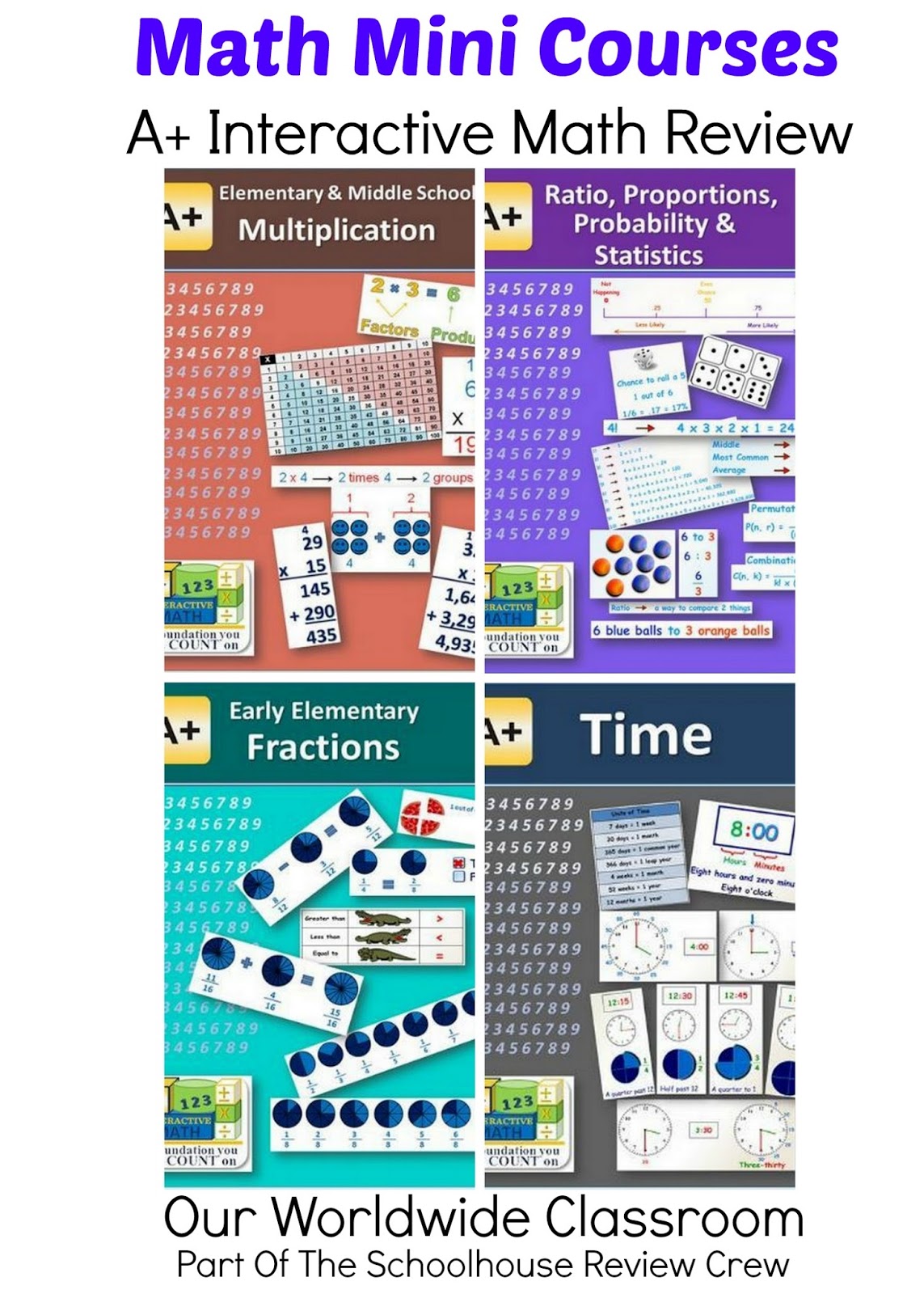
Math Mini Courses ~ Review


My daughter has been polishing up her math skills with Math Mini Courses from A+ Interactive Math.

We were given access to the Time and Multiplication mini courses in order to complete this review.

What Are Math Mini Courses


They are exactly that, mini math courses and are a great way to help with math learning gaps. If you notice that your child may be struggling in just one small area then a mini course directly related to that area may just be what you are in need of.

For example I knew my kids needed a little more practice with telling time so we've been using the Time Math Mini Course, along with Multiplication as that is where my daughter is at right now.

The Time mini course is 20 multimedia lessons, whilst the Multiplication mini course has a total of 13 lessons. Every mini course also includes an assessment at the end of each lesson.

Whilst the lessons can all be done completely online via the multimedia video lesson format, if you choose you can also print them out via pdf, along with worksheets, tests and report progress sheets.

How We Used The Mini Courses


My daughter chose to do these courses solely online, so she logged in, chose the course she was currently working in from the dashboard area of our account and launched the multimedia video lessons.

Each course is contained within a folder which needs to be expanded to see all of the mini lessons that are to be completed.

Once a lesson is opened up it begins immediately with a friendly voice over and simple animations to explain the concept through a brief video based lesson. Each lesson is only a few minutes in length and it moves directly into the assessment questions at the end.


On completion of a lesson the user or the parent is required to mark the lesson and the assessment quiz as completed, along with the scores in the quiz. The program does not do this automatically and lessons will sit uncompleted until their status has been manually changed.

This is a simple system to use and was very easy for my daughter to jump on and complete a lesson in a few minutes.

The time lessons cover the following concepts days, weeks, months, years, seasons, second, minutes, digital, analog, hour, half hour, quarter hour and five minute intervals, duration and units of time, converting digital and analog, elapsed time.

The multiplication lessons cover these concepts, introduction to multiplication, multiplying using objects, a table and tricks and multiplying with 2, 3, 4 and 5 digit numbers.


What We Didn't Like


My biggest concern with these lessons is that we continually forgot to mark them as complete and I don't quite understand why that wasn't built into the system as an automatic feature. It seems like it makes extra work that would be unnecessary if the system could simply mark it complete once the child got to the end of the lesson.

This process also wasn't shown to us so it was only by trial and error that we found we needed to mark lessons and assessment quizzes as completed.

What We Did Like


I love the concept of mini courses for math, it is a great idea and certainly one that would fill a need with many families. The courses are affordably priced, starting from just $9.99 US dollars which gives you access to the course for an entire 12 month period.

Given that our Time Math Mini Course only has 20 lessons we can revisit during the year to be absolutely certain all of the concepts have been learned.

I really like the multimedia component and the fact that the child does not need to complete worksheets if they don't want. But the worksheets are available for those that want them or need the extra practice.

Looking Ahead

My daughter will absolutely be completing both of her mini courses and will no doubt revisit them again over the coming year.

I've got my eye on a couple of the upper level courses for my son, especially the probability and statistics mini course. I think he would enjoy that one and it will help to hone his skills in that area.


Pricing & Details


As I mentioned above the mini courses are reasonably priced, starting from $9.99 US dollars. To see all of the math mini courses available visit the A+ Interactive Math Website.

To see more from them you can also follow along via your favourite social media outlet

 Facebook: https://www.facebook.com/APlusTutorSoft
Twitter:      https://twitter.com/aplustutorsoft
Pinterest:   http://www.pinterest.com/aplustutorsoft


I hope you have found this review helpful. If you would like to see further reviews of the various Math Mini Courses, from members of the Schoolhouse Review Crew, please visit this link.

Happy Homeschooling,
Kylie


Come on over and join me at

Facebook ~ Pinterest ~ Instagram ~ Google + 


Have you looked at my Pinterest Boards lately?


Visit Our Worldwide Classroom's profile on Pinterest.


Crew Disclaimer

Thursday, April 14, 2016

Read Write & Type ~ Review

My son has been using the Read, Write & Type Program from Talking Fingers Inc.

We were provided with  this program in order to review it. Read, Write & Type provides learners with early reading, spelling and typing practice.

What Is Read, Write & Type


Read, Write & Type is a research proven reading software program, that teaches phonics, spelling and early typing skills. The program is aimed at children ages 6 to 9 years.

My 7 year old son has been using the program.


How We Used The Program


As you enter the program you are introduced to the three main characters, those being Lefty LaDee Hands, Rightway McKay and the resident villain Vexor the Virus.

The premise being that Vexor has stolen all of the sounds and the child needs to help get them back to their rightful homes. Which are their keys on the keyboard.

To do so the child needs to work through a series of exercises and games each letter at a time. As they complete the activities the letters are won back from Vexor and returned to their rightful place on the keyboard.

Even though the program begins with the single initial letter sounds the child is very quickly typing words and simple sentences.


With each letter the child is presented with various challenges and games to ensure that everything is cemented before moving on.

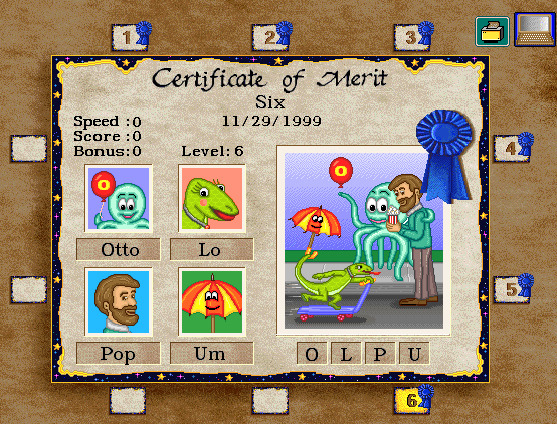
Letters are taught in groups of four, once the child has successfully progressed through all of the activities associated with those four letters they will be presented with a certificate of merit, which you can choose to print out if you wish.


What We Didn't Like


My son felt he was slightly too old for the program, even though for me I believe he still got a lot out of doing it. He already knows all of his initial sounds and is completing early readers with ease but the lessons introduced very different words than what he is used to and it also helped him solidify his learning. Not to mention that he got to work on some early typing skills.

There are no real lesson stop and start points with the program so at times it is difficult to tell when you are finished. Although it does retain where you have progressed to so that the next time you log on the program simply picks up where you left off.

What We Did Like


I love that this is pretty much an independent program. Once in a while he needed to ask me something he wasn't sure on or every now and then I would need to remind him about his finger placement. Apart from that he could and did do this program independently.

I also like that once they progress enough they earn mini readers, which download as a pdf and are just another way to add in more reading practice for the child.

Each lesson is relatively short, being around 15 minutes, although as I mentioned earlier if the child needs to stop for the day the program will simply remember where they are at when they next log in.


Looking Ahead


My son is well over halfway with the program so he will continue and finish it off over the next couple of weeks.

If you have a child that loves to learn online, is asking about typing or needs extra phonics help then Read, Write & Type may just be the one for you.

Pricing & Details


Read Write and Type Review
Visit the Talking Fingers Inc. website for more details on this program and the other programs they also have available.

To see more from Talking Fingers Inc. visit them via your favourite social media outlet

Facebook ~   YouTube ~   Twitter    


 I hope you have found this review helpful. If you would like to see further reviews of the Read, Write & Type program from members of The Schoolhouse Review Crew, please visit this link.

Happy Homeschooling,
Kylie


Come on over and join me at

Facebook ~ Pinterest ~ Instagram ~ Google + 


Have you looked at my Pinterest Boards lately?


Visit Our Worldwide Classroom's profile on Pinterest.


Crew Disclaimer

Wednesday, April 13, 2016

Homeschool Copywork ~ Review

Today I am sharing with you my thoughts on a product we've been using in our homeschool over the past weeks.

We received a Lifetime Membership to Homeschool Copywork which gives us access to a variety of e-books for copywork and notebooking pages such as the Vincent Van Gogh Copywork, Transportation Copywork and Town Mouse Country Mouse Copywork, along with many other varieties of copywork and notebooking pages.

What Is Homeschool Copywork


I think I really need to take one step back here just in case some of you aren't aware or have never even heard of copywork. So what is copywork exactly?

At face value copywork appears to simply be handwriting practice and in reality one can use copywork pages specifically for handwriting. It is so much nicer to copy out a lovely passage or a poem than fill in boring handwriting workbooks, after all!

But copywork is and can be so much more if you use it wisely. With copywork one can cover spelling, grammar, punctuation usage, comprehension and reading skills.

Plus as the guiding light in your children's lives you can also choose certain passages that you feel are appropriate for them and may offer them guidance and inspiration.

There is so much more to copywork than simply handwriting and if this concept is a new one to you I encourage you to read a little further on the topic of adding copywork into your homeschool

Now that you understand what copywork actually is, you're probably thinking, 'right, now I need to find certain passages to use for our copywork, that's just going to add a bunch more work to my overloaded schedule'. 

Wrong, this is where Homeschool Copywork comes into play. All of the sourcing and preparation has been done for you. Simply log into the membership area of the site and you have access to a myriad of copywork and notebooking pages, covering all manner of themes.


How We Used The Membership


Copywork has been on my list to add back in to our days, as it is something we let slide. Often I found myself reinventing the wheel when it came to providing the kids with copywork passages but with access to Homeschool Copywork I didn't need to do anything other than log in and find an appropriate piece to use with each of the children.

  As you know I have three children of very different ages and abilities so I needed to ensure I could meet those with our copywork. 

I was also quite eager to add in some Artist study that I had been working on. It seemed it was the perfect time to begin with our unit on Vincent Van Gogh. Homeschool Copywork has a total of five full volumes of van Gogh copywork pages, each containing a beautiful full colour image of one of his art works and the passage to copy. 

There are various line options and writing styles, making the book suitable for all ages.


I love that we can discuss the work of van Gogh right there on the copywork page, I don't need to go hunting for the art work images. Plus each of the passages is simply beautiful to read.

For some fun we've also been using the delightful Town Mouse Country Mouse book.

One thing that jumped out to me almost instantly was with my youngest and his need to write so small that it is nearly impossible to read. Of course I jumped straight onto the membership area of Homeschool Copywork and found the transportation pages.

These are very simple pages that work their way through the alphabet, but what I loved about them for my son is they gently forced him to slow down and to increase the size of his writing. He works on a few of these each week.


What We Didn't Like


My main issues with the membership area is there is no search function which I feel would be a very valuable asset in ease of finding what your looking for.

I would also love to see a preview option somehow built into the membership area as I needed to download the entire ebook to actually see what is inside. Granted each time I did a download we used the book anyway, but I still feel that this would be advantageous to have available.

We are secular homeschoolers and did find a large portion of the material to be religious in nature.


What I Do Like


Absolutely hands down the ease when it comes to finding passages is a winner for me and this is the exact reason why we have started and fallen off the copywork band wagon so many times over the years. Now that I have access to a range already prepared for me it will truly make it so simple to ensure we keep up with our copywork.

I mentioned earlier in regards to the membership area housing many religious themed copywork pages, however, there were more than enough secular books for me to choose from.

Some of which include, artists such as Monet, van Gogh, and da Vinci. Composers such as Bach and Mozart. There also topics such as the Wright Brothers, John James Aubudon, The Town Mouse and The Country Mouse, along with others.

Looking Ahead


Homeschool Copywork has most definitely become part of our regular routine now thanks to how easy it is having the download membership.


Pricing & Details

Visit the Homeschool Copywork website where you can find all the details and the different membership options available to you.

To see more from Homeschool Copywork visit them via your favourite social media outlet.

Facebook:  http://facebook.com/HomeschoolCopywork
Twitter: http://twitter.com/AmyBlevins 
Pinterest: http://pinterest.com/hscopywork
Google+: http://plus.google.com/+AmyBlevins
Instagram: http://instagram.com/homeschoolencouragement

I hope you found this review helpful. If you would like to see further reviews of Homeschool Copywork from members of The Schoolhouse Review Crew, please visit this link.


Happy Homeschooling,
Kylie


Come on over and join me at

Facebook ~ Pinterest ~ Instagram ~ Google + 


Have you looked at my Pinterest Boards lately?


Visit Our Worldwide Classroom's profile on Pinterest.


Crew Disclaimer

Tuesday, April 5, 2016

Times Tales ~ A Review


For the past few weeks we've been enjoying a highly entertaining way to help learn multiplication with this fun program called Times Tales from The Trigger Memory Co.

We were provided with a complete copy of times tales in order for my child to use and review.

What Is Times Tales.


Times Tables is a fun, creative way to aid in learning the upper times tables. The times tables are introduced via quirky simple little animated mnemonics to aid in learning. The program also includes printable practice worksheets to use as re-enforcement.

How We Used The Program


Times Tales is a breeze to use. The program is broken into two parts. It is recommended that the child watches part one, learns the mnemonics and practices with the supplemental worksheets and flashcards for at least a week before moving on to part two.

Although we received this product primarily for my daughter who is currently in the land of multiplication right now, we all watched the animations. The animations used are simple line drawings that have been brought to life. They are not boring by any means though, each character has a little personality of its own.

Each character, represents a number. In the very early stage of the program you are first introduced to the individual characters. For example, the number 3 can be seen in the wings of the butterfly, the number 7 is known as Mrs Week, the number 8 can easily be seen in Mrs Snowman and so on.


How the characters interact with each other in each of their simple stories is how they relate to multiplication. For example, here Mrs Snowman (the number 8) stands on a chair (the number) to reach her 3 buttons and 2 mittens. The mnemonic is first introduced as page in a story, from there it opens out into a short animation to help the child learn the story related to each character.

In the very early stages the program simply has the child learning the stories. After they have worked through several the program comes to a game and quiz area so the children can check how they are going. I was pleasantly surprised to see that not only my daughter but also my youngest memorised the stories quite easily and relatively accurately from the very first viewing.

Only after the stories have been learned does the program then introduce the actual times table. So the example I used above of Mrs Snowman, once the child learns the story they use the numbers in the story. Therefore 8 x 4 = 32.

It's really quite a simple premise but one that for us so far us been effective. If we ever forget a times table we can use the characters as a prompt to remind us until they become automatic.

The easiest way to understand this is to see it in action, this short clip will give you a brief overview of the program.


To see more simply visit the times tales website where you can download for free a small component of the entire program. That way you can see for yourself how simple this really is.

What We Didn't Like About This Program


This is such a simple concept and such an easy program to add into your day, there really isn't anything I can find about it that I don't like.

If you choose to order the download the files are really quite large so just be aware if your internet connection isn't all that great.

The only other point I would raise is that of double learning, which I do suppose Times Tales does fit under. There are some education experts that dispute double learning because the child actually needs to learn the item twice. So here in this example, the child learns the story and then needs to relate that story to a number and eventually learns the actual times tables using numbers only.

Whilst I understand the premise behind double learning, in this particular instance, for us, it has been in no way a hindrance. In fact it has helped in many ways. The visual component has really helped the kids see the times tables as they are shown right before their eyes with moving pictures and sound.

What We Did Like About Times Tales


The ease of use is hands down the winning point for me here. Honestly it doesn't get much easier for the parent or the student than this. Watch the animations, play along with the quizzes, and then practice.

Of course, it goes without saying that price is also a huge plus, making it something that's very easily added into a regular math program. In fact if this opportunity to review Times Tales didn't arise I would have bought the program anyway and have been equally as happy with it!

Looking Ahead


Times Tales has absolutely become a part of our multiplication learning regime and it will continue to be so.


Pricing & Details


Visit the Times Tales website to download a free trial version and to see more details of the program.

To see from Times Tales visit them via their Facebook page

I hope you found this review helpful. If you would like to see further reviews of the Times Tales program from members of The Schoolhouse Review Crew, please visit this link.


Happy Homeschooling,
Kylie


Come on over and join me at

Facebook ~ Pinterest ~ Instagram ~ Google + 


Have you looked at my Pinterest Boards lately?


Visit Our Worldwide Classroom's profile on Pinterest.


Crew Disclaimer

Wednesday, March 30, 2016

Logic Of English Essentials ~ A Review


My children have been working their way through Essentials 2nd Edition from Logic of English.

We were supplied with the complete 2nd edition in order to write this review. This is a lengthy review. It is a large piece of curriculum and to truly understand this product it takes a look at as many components of it as possible.

What Is Essentials From Logic Of English


The Essentials program is a multi level reading, spelling, grammar and vocabulary curriculum. This one piece of curriculum covers it all and in three distinct levels, making it easy to use with children of varying ages simultaneously and to reuse the program over several years.

Logic of English Essentials 2 Product Review
The entire Essentials 2nd Edition

There are several pieces to this program and receiving it to review has been such a blessing to us. Have a look at the huge pile we received. This is the complete set. It includes:


  •     Essentials Teacher's Guide
  •     Essentials Student Workbook
  •     Spelling Journal
  •     Morpheme Cards
  •     Basic Phonogram Flash Cards
  •     Spelling Rule Flash Cards
  •     Grammar Flash Cards
  •     Advanced Phonogram Flash Cards
  •     Phonogram Game Cards: Bookface
  •     Phonogram Game Cards: Manuscript or Cursive
  •     Phonogram Game Tiles
  •     Spelling Analysis Card
  •     Phonogram and Spelling Rule Quick Reference

All of these materials will be all I will ever need to teach reading and spelling to my children that are 7+ years old. For younger children they recommend to begin with their Foundations curriculum.

I own several levels of a different, well known home school spelling and reading curriculum and one of the reasons why I would choose Logic of English is because of the one off purchase. One order only and I have everything, I don't need to go back year after. Essentials does utilise many cards, however I can easily keep these all together in one place.

Essentials provides linguistically accurate phonics instruction and explains it all so clearly in the teachers manual. Teaching our children to read has got to be the number one thing most homeschooling parents agonise. Phonics, phonograms, morphemes, grammar, vocabulary, spelling it really can get all very confusing for a homeschool parent. Essentials holds your hand and walks you through every step and gives you all the background information on why!

Essentials 2nd Edition Teacher Manual


The teacher manual is quite an edition. It is a hardcover, 630+ page, colourful, well laid out manual. The first 40 odd pages outline, the Essentials program, including the scope and sequence, how to use and teach the program, spelling analysis, teacher tips and more.

There's a lot to this and it isn't a program that arrives in the post, you open the box and begin using it. You really need to spend some time familiarising yourself with everything about the program before you begin with your students.

After the introduction you have a complete section on placement tests and pre-lessons. This is where you can easily determine what level of the program your child should begin with, A, B or C. I have one child in each level of the program.


Essentials 2nd Edition Homeschool Curriculum
A peek inside the teacher manual and at the phonogram cards.

The teacher manual then moves into the actual lessons. Each lesson is set out in days with more than enough content to cover five days of instruction, completing one full lesson in a week.

For us though we find that too much and are taking things much much slower than is laid out in the teachers manual. I have broken down a lesson for you so you can see just exactly how much is in this program.

Lesson Structure


Lesson outline

The beginning of each lesson always outlines what will be covered and what materials are required. This really helps with preparing for the lesson.

Day 1 - Essential Concepts

Here is where we review learned phonograms, introduce new phonograms and advanced phonograms. Each part of the lesson is fully scripted, with teacher tip boxes along the edges of the page.

Day 1 cont - Exploring Sounds

Here you discuss, play with and possibly complete a worksheet from the student book in reference to any new sounds being learned.

Day 1 cont - Spelling Rule

The new spelling rule is introduced, once again with lots of instruction on how to introduce, why the spelling rule is in place, examples of the rule in action and generally a worksheet to go along with this portion of the lesson.

Day 2 - Building Words

Here the lesson plays with the new phonograms, possibly with a card game and some spelling activities. It also introduces vocabulary with morpheme cards.

Day 2 - Spelling Journal

Students create their own spelling journals and will add to them as the program progresses.

Day 2 - Spelling Analysis Review

Here you will review the learned phonograms and move into the spelling lists. Each lesson contains 3 lists each at different levels (A, B, C) the list you use is determined by the level you chose during the placement tests

Day 3 - Words In Context

Again, review is constantly built into the program. This section also includes the grammar component, which begins at an easy level of grammar basics and moves up in difficulty with each lesson.  Day 3 also includes a dictation exercise.

Day 4 - Words In Action

Here we are running through a quick review of everything learned over the past 3 days. Then it moves into Vocabulary work and offers options at all 3 levels (A, B, C). Then we have another dictation exercise, a reading exercise and a composition exercise.

Day 5 - Check Your Understanding

Final review day for everything learned this week, including worksheets, dictation exercises and grammar activities.

Playing one of the many games that are built into the program

I used Lesson 2 as my guideline for this lesson outline, it is 30 pages in total, in the teacher manual, not including the student sheets, game cards and phonogram cards. These lessons are so thorough.

How We Have Used The Program


We've used Essentials exactly as laid out in the teacher manual. We all work together and this is the very first thing we do each day, when everyone is fresh and attention spans are generally at their best. I have 3 children and each of them are all in different levels, but working together means I'm not repeating the lessons 3 times over.

The Essentials Reader


I was also sent the PDF download for the Essentials Reader, the Essentials Reader Student Activity Book and the Essentials Reader Teachers Guide.

Whilst not necessary to the program itself I personally feel that this is a great addition to it and a wonderful way to work more on the skills learned through the lessons.

The lessons in the reader and teachers guide work with the main Essentials program.


Here my daughter is completing a copywork page, rewriting some of the sentences from the reader passage she has just read on the screen.

What We Didn't Like


I actually can't find anything that I don't like about this program. Admittedly at first it can seem quite overwhelming, but once you have a good read of the Teacher Manual and actually get started with the lessons it is really easy to follow.

Essentials is not student directed, this program needs a teacher/adult with the student for each lesson so it could, for some, be a little time consuming, but we simply do 15 - 30 minutes each day together.

What We Did Like


I love that I can work on a language arts program with all of my children at once. I don't think I've come across anything as yet that I can do that with.

My eldest reads above grade level but he still needs work with spelling, which is why I chose to include him in this and he is learning a great deal already.

I like that absolutely everything to teach reading, spelling, grammar and vocabulary is all included in this program.

It is multi-sensory, includes games and various activities to appeal to most learners. Whilst the lessons are jam packed, you can easily take things at your own pace.

Looking Ahead


We will absolutely be continuing to move forward with Essentials. It is now a regular part of our week.

 photo Logic of English Logo small_zpsbttgcgd2.png

Pricing & Details


Visit the Logic Of English web store to view all of the Essentials materials.

To see more from Logic Of English visit them via your favourite social media outlet

Facebook: https://www.facebook.com/TheLogicOfEnglish/ 
YouTube: https://www.youtube.com/user/LogicofEnglish
Pinterest: https://www.pinterest.com/logicofenglish/

I hope you found this review helpful. If you would like to see further reviews of Essentials 2nd Edition or Logic Of English Foundations program for younger learners, from members of the Schoolhouse Review Crew, please visit this link.

Happy Homeschooling,
Kylie


Come on over and join me at

Facebook ~ Pinterest ~ Instagram ~ Google + 


Have you looked at my Pinterest Boards lately?


Visit Our Worldwide Classroom's profile on Pinterest.


Crew Disclaimer

Thursday, March 17, 2016

Rainforest Journey ~ A Review


eLearning for Homeschool Rainforest Journey Unit Study

Over the past few weeks we've been reviewing Rainforest Journey, a fun online science program from EdTechLens as part of my 2nd grader's school day.

We were provided with a one year subscription to Rainforest Journey in order to write this review.

What is Rainforest Journey


Rainforest Journey is the the first interactive digital learning program released by EdTechLens. This product is aimed at children in grades K - 5. The thoughts behind it is to deliver an aesthetically pleasing program that you would normally only see delivered in the higher education levels but for the elementary aged child. The concept is that of a photo book, filled with video clips, photographs and audio that the children can easily interact with. Each level covers the same concepts, however they increase in complexity as the grade level increases.

First Impressions


The EdTechLens website is bright and fresh with stunning photographic images on the home screen. These create a sense of what is to come for the user and you know already from the home page that a great deal of passion has been put into this site.

The site is laid out in an easy to navigate fashion, with all of the regular links  across the top that one would expect to see within a website such as this. After clicking on the programs link you can read in more detail all about Rainforest Journey, including access to a few free sample lessons across the various grade levels. Be sure to watch the introductory video found on the bottom of that page.

 photo Rainforest Journey Ipad-Graphic-HR-play-button_zps7ly6jnpn.jpg

How We Used Rainforest Journey


We used Rainforest Journey exactly as detailed within the program. At this stage we haven't added any extra's as for us right now this is a nice little bonus learning opportunity.

My son logs in using the user name supplied to him by EdTechLens and he is taken directly to the first lesson. From then each time he logs in the first screen he sees is exactly where he is up to in the program.

There is a course outline link to the left where you can move back to review complete lessons and see what is coming up.

The lessons in the grade 2 level include a couple of stunning photograph's of either the rainforest itself or of some of the animals found within a rainforest. From time to time there are also short videos to watch.

With each image there is a small snippet of information that can either be read or the option to hear the details being read aloud is also there right on the screen.

There is a brief enrichment section, which contains just that little bit extra information about the topic being discussed right there alongside the lesson too.

So far we have looked at all the layers of the rainforest, some of the many animals that reside within those layers and various types of rainforests

At the end of each lesson there is a printable PDF of review materials. For the grade 2 option he has been asked to draw what he is learning about the layers and to describe each layer with several words. This is simple enough for him to complete and does help him to listen closely to the audio as knows he needs to come up with some describing words at the end of the lesson.

Each unit finishes with assessment quizzes. There are 5 units with a total of 34 lessons. Each lesson only takes around 10 - 20 minutes to complete, with end of lesson hands on activities as an extra.

We have also been using the Grade 5 level and it covers the same lesson concepts just at a higher level, with each lesson, being slightly longer and with more reading material. It still includes that audio link though which is a huge plus for me as so many programs remove that option for older children. The Grade 5 level also expects short paragraphs in terms of lesson review output as compared to just a few short words that is required in the Grade 2 level.

What We Didn't Like


At first logging in and getting ourselves all set up with user names for each student was a little confusing, but I contacted EdTechLens straight away and they were more than helpful in getting us all ready to go.

With each lovely photograph there is a piece of information that can either be read or listened to, however the links for the audio aren't aligned right there on the screen, so I found myself scrolling up and down a bit so that we could listen and look at the pictures at the same time. I'd love to see the audio button right there alongside the image.

Being an online program, if like me, you don't have fabulous internet, can make things a little tricky at times. This is just something to be aware with your own situation.

What We Did Like


The stunning large pictures and the audio voice overs is what makes this program so unique. We can listen to the audio and sit and discuss the images included. At times choosing to go and find more information than what is provided.

I really liked that this can be used exactly as is, as an easy supplement to your current science program. Or if you choose it can be fleshed out into one entire year long theme of study, that adds an element of audio visual, video's, photographs and voice overs to the unit.

 photo Rainforest Journey Night-Collage-3-HR_zpsqvliyytz.jpg

Looking Ahead


This has been so easy to add into our week that we will most definitely continue along with the remainder of the Rainforest Journey.

I'm very interested in seeing what other 'journey's' EdTechLens may be working on. This is a great way to add supplemental information to a larger theme that you may be studying.

Details & Pricing

A 1 year license for the Rainforest Journey program for 1 child is $50.

To see more from EdTechLens visit them via your favourite social media outlet.

Twitter:  https://twitter.com/edtechlens
Facebook: https://www.facebook.com/edtechlens
Pinterest: https://www.pinterest.com/edtechlens/
Google +: https://plus.google.com/+Edtechlens
LinkedIn: https://www.linkedin.com/company/edtechlens

I hope you found this review helpful. If you would like to see further reviews of Rainforest Journey from members of the Schoolhouse Review Crew, please visit this link.

Happy Homeschooling,
Kylie


Come on over and join me at

Facebook ~ Pinterest ~ Instagram ~ Google + 


Have you looked at my Pinterest Boards lately?


Visit Our Worldwide Classroom's profile on Pinterest.


Crew Disclaimer

Tuesday, March 15, 2016

Math U See Digital Packs Review


Over the past few weeks we have had the pleasure of reviewing Demme's Learning Math -U- See. In fact we were given a 12 month subscription to their Digital Packs for the purpose of this review. I chose to focus on the Alpha Digital pack with my youngest son.

What Is A Math-U-See Digital Pack


Demme Digital Packs are made up of the video content of the lessons that Math-U-See users know and love. The pack also includes instruction manual PDF's, skip counting songs and digital manipulatives. No more losing blocks!! Twelve months access is included with each digital pack purchase.


How We Used The Alpha Digital Pack


If you've been a reader of my blog for any length of time you already know that we love Math-U-See and I mention it often as our go to math curriculum. We already own the complete primary years lessons on DVD but when the opportunity arose for me to take a look at the digital versions I jumped at it.

Given that we are regular users of Math-U-See not a lot changed for us to review this product. The big plus was that we could sit on the couch and watch the lessons on the iPad or in front of the PC. I didn't need to go digging for the DVD. The digital pack gave us the freedom to take our math anywhere.

What We Liked About the Alpha Digital Pack


The digital manipulatives are a great idea, as I must admit we often misplace some of our blocks. Having everything digital means I don't need to keep track of all the loose bits and pieces.

We own a few iPads, which means that all of the children can be working on their Math-U-See lessons at once, no need to wait until the DVD player is free. With 3 kids all using Math-U-See at times we've had a bit of a traffic jam at the DVD player.

Although we aren't a family that lives on the road this is truly where I can see a fabulous benefit. All the lessons, all the manipulatives, right their on your iPad. Just add in a student workbook and math is sorted.


What We Didn't Like About The Alpha Digital Pack


The only real downside for us is our current internet access isn't brilliant so there were some times in the day where we had to come back to our math lessons, but that is really a personal issue and nothing to do with the product.

One of my children especially loves to watch the lessons on the large screen and prefers using the DVD's because of that. Although with today's smart TV technology most of us could also stream these straight through the internet via our televisions.

If you have a good internet connection there really isn't anything to dislike about the digital packs and I'm certain that streaming math instruction such as this has been the answer to many homeschool families prayers.

Looking Ahead


We will continue to use the digital version of Alpha as my son really enjoys having it on the iPad. At this stage, given that we already own all of the DVD's I don't think I would invest in future digital packs.

I have, however made a mental note if ever we see ourselves traveling for any length of time. I really like that math can continue uninterrupted via the digital packs.


Details & Pricing


The Alpha Digital pack is $38.00 for 12 months access.

To see more from Demme Learning visit them via your favourite social media outlet

Facebook: https://www.facebook.com/mathusee

Instagram: https://instagram.com/mathusee/

Twitter: https://twitter.com/mathusee 

YouTube: https://www.youtube.com/user/mathusee

If you have found this review helpful and would like to see further reviews of the Math-U-See Digital Packs from members of the Review Crew, please visit this link.

Happy Homeschooling,
Kylie


Come on over and join me at

Facebook ~ Pinterest ~ Instagram ~ Google + 


Have you looked at my Pinterest Boards lately?


Visit Our Worldwide Classroom's profile on Pinterest.


Crew Disclaimer
Related Posts with Thumbnails
 

Blog Design by: Relevant Designs